Report, Track, and Resolve Vehicle Defects
Capture defects with photos and severity levels. Track every defect from reported to resolved with a complete audit trail. Report with no signal too: the defect and its photos queue on the phone and upload automatically when you reconnect. Give fleet managers full visibility across all vehicles.
Defect Workflow
Every defect follows a clear path from report to resolution.
Driver submits a defect with photos and severity level. The defect enters the system and relevant managers are notified immediately.
Repair work has begun. The defect is actively being resolved by the assigned team or workshop.
The defect has been repaired and signed off, with what was done, who fixed it and when on record. A complete audit trail is preserved for compliance.
A defect that will not be repaired can be closed as won't fix, with the reason recorded. It stays on the record and can be reopened if that changes.
Photo Evidence & Severity Levels
Capture clear evidence and classify defects by impact.
Minor
Cosmetic or low-impact issues that do not affect vehicle safety. Can be scheduled for repair at convenience.
Major
Photos RequiredSignificant issues that affect vehicle performance or could worsen. Photo evidence required. Should be repaired soon.
Critical
Photos RequiredSafety-critical defects that make the vehicle unsafe to drive. Photo evidence required. Vehicle must be taken off the road immediately.
- Capture photos directly in the app
- Photos required for major and critical defects
- Visual proof for DVSA compliance
- Photos stored securely with defect record
- Before and after photos for resolved defects
Fleet Defect Dashboard
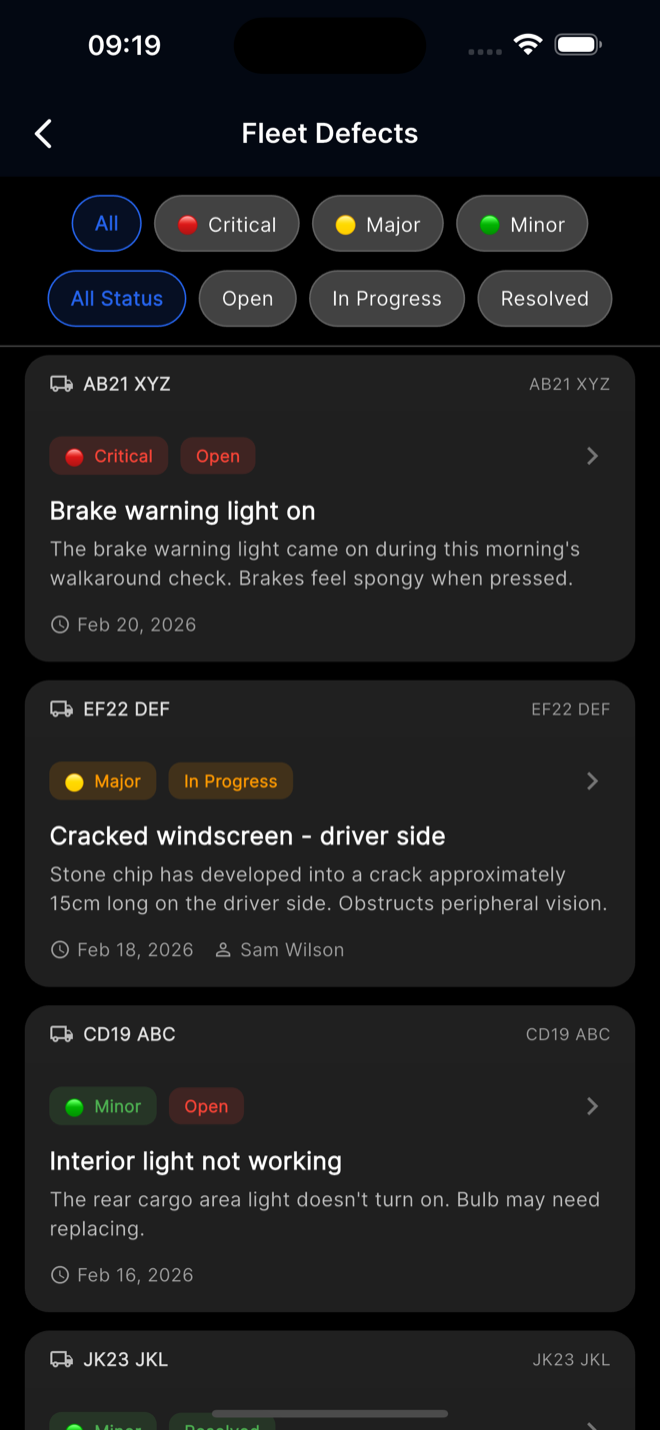
Fleet managers get a complete overview of every defect across all vehicles. Filter by vehicle, state, or severity to focus on what matters most. Every comment, state change, and update is logged with timestamps for a complete activity history.
- See all defects across your entire fleet
- Filter by vehicle, state, and severity level
- Full comment history and activity logs
- Instant notifications on new and updated defects